
Black Forest Labs offers two distinct models in its FLUX.2 lineup: the premium FLUX.2 Pro and the lightweight FLUX.2 Klein. Both are built on rectified flow transformer architecture, but they serve different workflows. In this FLUX.2 Pro vs FLUX.2 Klein comparison, we break down quality, speed, VRAM requirements, editing support, reference images, and which model fits production, local, or real-time use cases.
FLUX.2 Pro vs FLUX.2 Klein: Core Architecture Differences
Understanding the architecture behind each model explains why FLUX.2 Pro vs FLUX.2 Klein is not a simple better-or-worse comparison — it is a quality-versus-efficiency trade-off.
FLUX.2 Pro is a 32-billion parameter model engineered for maximum output quality. It achieves an ELO rating of approximately 1170 in blind comparisons, making it one of the highest-rated AI image generators available. Every detail — skin textures, lighting physics, lens characteristics — is rendered with production-grade precision.
FLUX.2 Klein (German for "small") comes in two variants: a 9-billion parameter model and a compact 4-billion parameter model. Both versions are distilled from larger models, inheriting sophisticated understanding of lighting, materials, and composition while staying efficient enough for real-time applications. The 4B variant fits in approximately 13GB of VRAM, running smoothly on consumer GPUs like the NVIDIA RTX 3090 or RTX 4070.
| Specification | FLUX.2 Pro | FLUX.2 Klein |
|---|---|---|
| Parameters | 32 billion | 4B / 9B |
| ELO Rating | ~1170 | ~1066 |
| Generation Speed | ~6 seconds | Under 1 second |
| Reference Images | Up to 8 | Up to 4 |
| VRAM Required | Cloud / high-end GPU | ~13GB (4B) / ~29GB (9B) |
| Best For | Production quality | Real-time applications |

Image Quality: Where FLUX.2 Pro Pulls Ahead
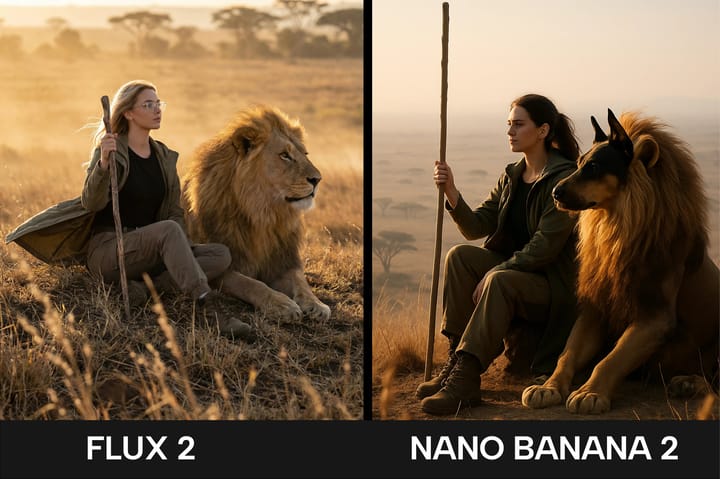
Quality is the defining advantage in the FLUX.2 Pro vs FLUX.2 Klein debate. The 100+ point ELO gap between the two models is significant — it translates to noticeably finer details, more coherent compositions, and better handling of challenging prompts.
What FLUX.2 Pro Delivers
- Photorealistic precision: Camera-accurate depth of field, chromatic aberration, and natural film grain that make outputs indistinguishable from real photography
- Superior text rendering: Clear, legible text in images — logos, signs, labels — remains a key strength of FLUX.2 Pro's AI image generator
- 4MP resolution output: High-resolution images ready for print and professional use without upscaling
- 8 reference images: Multi-reference workflows enable precise brand consistency and complex scene composition
What FLUX.2 Klein Delivers
- Good-enough quality for iteration: While not matching Pro's fidelity, Klein produces coherent, usable images suitable for drafts, mockups, and rapid prototyping
- Clean typography: Klein inherits surprisingly strong text rendering capabilities from its distillation process, producing readable text in layouts and infographics
- Consistent composition: Despite its smaller size, Klein maintains solid understanding of spatial relationships and scene structure
For professional work — brand photography, marketing campaigns, print materials — FLUX.2 Pro is the clear choice. The quality difference is immediately visible in fine details like skin textures, fabric weaves, and lighting transitions.
Experience FLUX.2 Pro Quality Firsthand
See the quality difference for yourself. Generate photorealistic AI images with FLUX.2 Pro — free credits included.
Speed and Efficiency: Where FLUX.2 Klein Shines
If the quality section belongs to Pro, the speed section belongs to Klein. FLUX.2 Klein achieves sub-second generation times — roughly 6x faster than FLUX.2 Pro's typical 6-second generation.
This speed advantage opens up use cases that simply are not practical with slower models:
- Interactive design tools: Real-time image previews as users adjust prompts and parameters
- Batch processing at scale: Generating thousands of product variations for A/B testing or catalog creation
- Mobile and edge applications: The 4B model runs on consumer hardware, enabling on-device generation
- Rapid prototyping: Quickly visualizing ideas before committing to a higher-fidelity generation
However, raw speed is not the complete picture. FLUX.2 Pro's superior prompt adherence often means fewer regeneration attempts to get the desired result. When you factor in the iteration cycle — generate, evaluate, adjust, regenerate — the effective time-to-final-result gap narrows considerably for quality-critical work.
Feature Comparison: FLUX.2 Pro vs FLUX.2 Klein
Beyond raw quality and speed, the two models differ in feature depth.
Reference Image Support
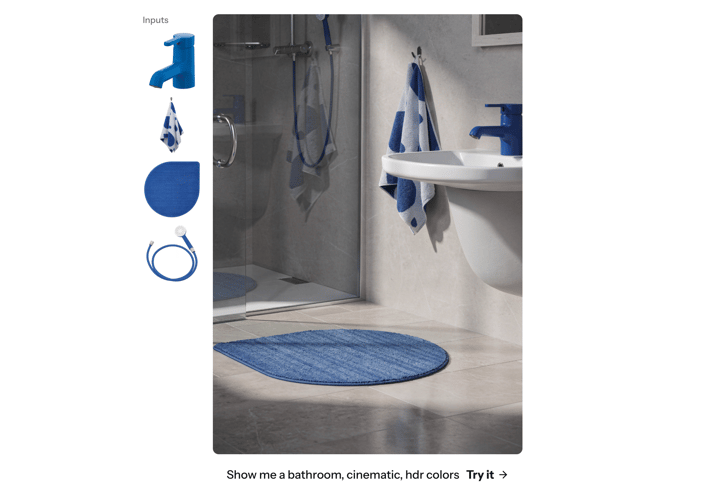
FLUX.2 Pro supports up to 8 reference images per generation, enabling complex multi-reference workflows. This is critical for brand work where you need to maintain consistency across color palettes, product designs, and visual styles. FLUX.2 Klein supports up to 4 reference images — sufficient for basic reference-guided generation but limiting for complex production scenarios.
Editing Capabilities
Both models support text-to-image generation and image editing workflows, including single-reference and multi-reference editing. Klein's editing capabilities are particularly impressive given its speed — you can make real-time edits and see results almost instantly.
Model Variants
FLUX.2 Klein offers additional flexibility through its model variants:
- Base: The undistilled model with configurable inference steps, ideal for fine-tuning and LoRA training
- Distilled: A 4-step optimized model for maximum speed in production pipelines
FLUX.2 Pro operates as a single optimized model focused entirely on output quality.
Platform Access
On the FLUX 2 PRO AI platform, you get access to FLUX.2 Pro through an intuitive web interface — no GPU setup, no model configuration, and no technical overhead. Just describe what you want and get professional-quality results. The platform also includes complementary tools like the AI Background Remover, video generation, and audio generation.
Professional AI Image Generation Made Simple
Skip the hardware setup. Generate stunning images with FLUX.2 Pro directly in your browser.
FLUX.2 Pro vs FLUX.2 Klein: Choosing the Right Model
The choice between FLUX.2 Pro vs FLUX.2 Klein depends entirely on your priorities. Here is a practical guide:
Choose FLUX.2 Pro When:
- Quality is non-negotiable: Billboard campaigns, brand photography, print materials, and any context where visual fidelity matters most
- You need text in images: Logos, signage, product labels, or any content requiring legible text rendering
- Brand consistency is critical: Multi-reference workflows with up to 8 reference images keep your visual identity precise
- You want a complete creative suite: Beyond images, access video, audio, and music generation on a single platform
Choose FLUX.2 Klein When:
- Speed is the priority: Real-time applications, interactive tools, and batch processing where sub-second generation matters
- You are running locally: Klein's 4B variant runs on consumer GPUs with just 13GB VRAM
- You need a draft-and-refine workflow: Quickly generate rough concepts with Klein, then polish the best ones with Pro
- You are building applications: Klein's speed and local deployment make it ideal for embedded AI features
The Best of Both Worlds
Many professionals use a draft-and-refine workflow: generate quick concepts with FLUX.2 Klein to explore ideas rapidly, then switch to FLUX.2 Pro for the final high-fidelity output. This approach maximizes both speed and quality. You can start generating production-ready images with FLUX.2 Pro right now through the AI Image Generator — new accounts include free credits to get started. For a complete walkthrough, see our beginner's guide to FLUX.2 Pro.
Start Creating with FLUX.2 Pro Today
Get free credits and experience the quality difference. No credit card required.
Frequently Asked Questions About FLUX.2 Pro vs FLUX.2 Klein
Is FLUX.2 Pro significantly better than FLUX.2 Klein in image quality?
Yes. FLUX.2 Pro achieves an ELO rating approximately 100 points higher than FLUX.2 Klein in blind comparisons. This gap is most noticeable in fine details — skin textures, lighting accuracy, fabric rendering, and overall composition coherence. For professional and commercial work, Pro delivers a visible quality advantage.
How much faster is FLUX.2 Klein than FLUX.2 Pro?
FLUX.2 Klein generates images in under 1 second, compared to approximately 6 seconds for FLUX.2 Pro. That makes Klein roughly 6x faster, which is significant for real-time applications and high-volume batch processing.
Can FLUX.2 Klein run on my personal computer?
The 4B variant of FLUX.2 Klein requires approximately 13GB of VRAM, making it accessible on consumer GPUs like the NVIDIA RTX 3090, RTX 4070, and above. The 9B variant needs about 29GB VRAM, requiring higher-end cards like the RTX 4090.
Can I use both models together in my workflow?
Absolutely. A popular approach is the draft-and-refine workflow: use FLUX.2 Klein for rapid ideation and concept exploration, then switch to FLUX.2 Pro for the final polished output. This gives you speed during the creative phase and maximum quality for deliverables. Try FLUX.2 Pro's image generator to see the quality difference firsthand.
Does FLUX.2 Klein support text rendering in images?
Yes. FLUX.2 Klein inherits strong text rendering capabilities from its distillation process and can produce clean typography in layouts, infographics, and UI mockups. However, FLUX.2 Pro still produces more consistently legible text, especially in complex or small-text scenarios.
Which model should I choose for commercial projects?
For client-facing commercial work, FLUX.2 Pro is the recommended choice. Its higher resolution output (up to 4MP), superior prompt adherence, and support for 8 reference images make it ideal for brand photography, marketing materials, and production-quality visuals. Access it instantly on the FLUX 2 PRO AI platform with no setup required.