

FLUX 3 is the name people are searching for in 2026 — and for good reason. On July 23, 2026, Black Forest Labs announced FLUX 3 as a multimodal foundation model trained jointly on image, video, audio, and action prediction. If you already use FLUX.2 Pro for stills, this is the next chapter: one architecture that treats motion, sound, and pictures as parts of the same world.
This introduction explains what FLUX 3 is, how it differs from the FLUX.2 lineup, and the fastest way to try it in a browser. Official BFL early access still uses a request form. If you want to generate a short clip today, we recommend the independent workspace at flux3.video — a free online FLUX 3 video and image generator that does not require a credit card to start.
What Is FLUX 3 and Why It Matters in 2026
FLUX 3 is Black Forest Labs' first model built entirely around a simple idea: no single modality describes the world completely. An image captures space at one moment. Video restores time and physical motion. Audio reveals cause and effect that vision alone misses. Language ties those signals to a goal. Learn from all of them at once, and the constraints start to agree — the sound should match the impact, and the motion should follow the mass.
BFL built FLUX 3 on Self-Flow, its approach for aligning multimodal generation and understanding in one architecture. The public launch highlights four product tracks from the same backbone:
| Track | What BFL announced | Status (as of the July 2026 launch) |
|---|---|---|
| FLUX 3 Video | Video plus optional native audio, up to about 20 seconds in one generation | Early access via BFL |
| FLUX 3 Image | Image synthesis and editing | Early access rolling out after video |
| FLUX 3 Action / FLUX-mimic | Action prediction for robotics partners | Partner / research access |
| FLUX 3 Dev | Open-weight multimodal backbone | Planned, not released at launch |
That is a bigger jump than a typical version bump. FLUX.1 and FLUX.2 were image-first. FLUX 3 is a world model that can mix modalities: text-to-video, image-to-video, video-to-video, keyframe transitions, and image synthesis from the same family.
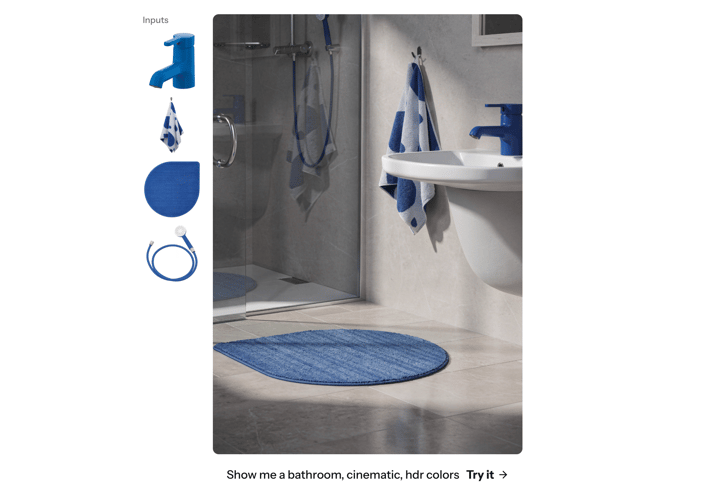
BFL's own early evaluations used 10-second 720p text-to-video clips with audio. Those numbers are vendor-run and still preliminary — treat them as a launch snapshot, not an independent benchmark. What matters for most creators is simpler: FLUX 3 is the first FLUX model that is video-native, with optional synced audio, instead of an image model asked to "make a clip."
Try FLUX 3 in the Browser
Open the free FLUX 3 AI video generator at flux3.video. Text to video and image to video, no credit card to start.
How FLUX 3 Differs from FLUX.2 Pro
If you landed here from our FLUX.2 Pro getting started guide, the short version is: keep FLUX.2 Pro for production stills on this site, and use FLUX 3 when you need motion.
FLUX.2 Pro remains a strong choice for photorealistic images, readable text in frames, and multi-reference brand work. Our FLUX.2 Pro vs FLUX.2 Klein comparison covers quality, speed, and VRAM if you are choosing inside the FLUX.2 family. FLUX 3 is a different product class:
- One multimodal backbone instead of an image-only generator
- Native video + audio instead of stills that you later animate elsewhere
- Reference motion: start from a photo, a clip, or keyframes, not only a prompt
- Staged rollout: BFL is opening video first, then image, then open weights
A practical split for 2026 workflows:
- Draft a still with the AI image generator on FLUX.2 Pro when you need a sharp poster, product frame, or brand-safe still.
- Take that frame (or a plain prompt) to flux3.video and run FLUX 3 image-to-video or text-to-video for a short social clip.
- Keep longer audio, music, or extra tools on this platform via the AI video generator and pricing plans when you need the rest of the suite.
Do not expect every BFL launch bullet — native multi-shot chaining, robotics action, or unreleased FLUX 3 Image API features — to appear on day one in a third-party workspace. Official capability lists live on BFL's FLUX 3 announcement. Independent sites implement a practical subset.
What You Can Create with FLUX 3
Creators searching for FLUX 3 usually want a short clip they can post the same day. The model family is built for that, and a browser workspace makes the first run cheap to try.
Text to video
Describe a scene in plain language: subject, action, and place. FLUX 3 is strongest when the prompt sounds like a shot list, not a novel. Good first uses include social hooks, product explainers, and storyboard beats.
Image to video
Upload a product photo, character still, or design frame and add motion. This is the fastest path when the still already looks right and you only need a 5–15 second loop for ads, reels, or a PDP demo.
Styles beyond one film look
BFL calls out style range — candid camcorder, animation, clean product, cinematic. That matters if you make everyday posts, not only trailer-style shots. Pair a simple prompt with a clear style word instead of stacking twenty adjectives.
Audio, action, and open weights — know the gap
BFL's FLUX 3 video path can include native audio. Action prediction (FLUX-mimic) is a partner track, not a consumer button. FLUX 3 Dev open weights were announced, not shipped at launch. When you try an online generator, read what that product actually runs: video default, image path, and whether audio is live.
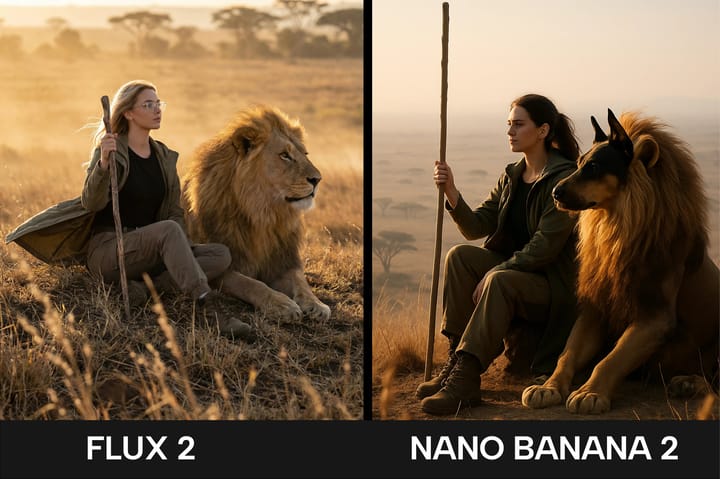
Turn a Prompt or Photo into a FLUX 3 Clip
Use text to video or image to video on flux3.video. Failed runs refund credits so a bad take does not waste your balance.
How to Try FLUX 3 Online at flux3.video
BFL early access is a waitlist. flux3.video is an independent online FLUX 3 AI video generator you can open in the browser. It is not affiliated with, endorsed by, or sponsored by Black Forest Labs. FLUX 3 is a BFL trademark; the site uses the name for identification and houses its own generator workspace.
Four steps from idea to a saved clip
- Write or upload. Type a short scene, or upload a photo to animate. Subject + action + place is enough for a first take.
- Keep FLUX 3 as the default. Video on the homepage defaults to FLUX 3. Still work lives on
/imagewith FLUX 3 Image as the house default. Other models stay in the picker if you want a faster draft. - Generate. Wait for the short clip. The site states that failed runs refund credits automatically.
- Save and reuse. Download the file or reopen it from the library after you sign in. Paid plans are the path for commercial licensing; free-tier output is for personal, non-commercial use unless a plan says otherwise.
Video path vs image path
| FLUX 3 video | FLUX 3 Image | |
|---|---|---|
| Best first use | Short clips for posts, demos, and product motion | Posters, product stills, and editable frames |
| Inputs | Text prompt or start photo | Text prompt or reference image |
| Output | Short video ready to download or save | Still image for design, ads, or a later video pass |
| Who should open it | Anyone who searched for FLUX 3 video and wants a free online try | Teams who want a sharp still before they animate |
Who it is for
- Social creators who need a 5–15 second hook without a full edit suite
- Catalog and ecommerce teams who already have a hero photo and want a simple motion loop
- Marketers who need prompt variants for A/B creative tests
- Agencies who want a moving first pass in the same client call
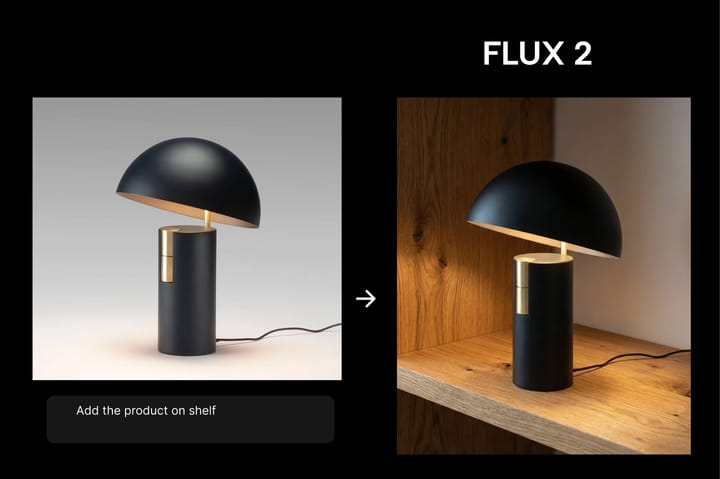
Practical Tips for Getting Started with FLUX 3
These tips are specific to a first FLUX 3 session. They do not repeat the still-image prompt checklist from our beginner's guide.
1. Write a shot, not a paragraph
Name one subject, one action, and one place. Add a camera note only if it changes the shot ("handheld close-up", "static product table"). Extra plot will fight a short clip.
2. Prefer image-to-video when the frame already works
If you already like a product still or character board, animate that file. Text-to-video is better when you have no plate and need a first-pass storyboard.
3. Keep the first clip short
A 5–10 second hook is easier to judge than a 20 second scene. Once the motion and face look right, lengthen or regenerate with a small prompt change.
4. Separate "try the model" from "ship the campaign"
Use the free tier on flux3.video to learn whether FLUX 3 motion fits your brand. Upgrade only when volume or commercial rights matter. For stills you already trust, stay on FLUX.2 Pro via the image generator and explore the rest of the feature set.
5. Do not assume official BFL features are live everywhere
Native audio, multi-shot chaining, and robotics action are BFL roadmap items. An independent generator may ship video and image first. Check the on-page model picker and FAQ before you promise a client a capability that is still early access on BFL's side.
Frequently Asked Questions About FLUX 3
What is FLUX 3?
FLUX 3 is Black Forest Labs' multimodal foundation model, announced on July 23, 2026. It is jointly trained on image, video, audio, and action prediction in one architecture, rather than being an image-only upgrade of FLUX.2.
Is flux3.video the official Black Forest Labs product?
No. flux3.video is an independent online generator. It is not affiliated with or endorsed by Black Forest Labs. FLUX 3 is a BFL trademark. Official early access and research details are on bfl.ai.
Can I try FLUX 3 without a BFL waitlist invite?
Yes. BFL's own FLUX 3 Video early access uses their request form. The workspace at flux3.video is a separate browser product you can open without that invite. It does not claim official BFL API access.
Does FLUX 3 replace FLUX.2 Pro for images?
Not for every job. FLUX.2 Pro is still the production stills model on this site — high prompt adherence, readable text, and up to 4MP output. Use FLUX 3 when you want video-first generation or the newer multimodal stack. Many teams will keep both.
Can I do text to video and image to video?
Yes. On flux3.video, text to video starts from a prompt and image to video starts from a photo. Both modes share the same account, credits, and library. Image stills use the /image path with FLUX 3 Image as the default.
Can I use the outputs commercially?
On flux3.video, paid plans include commercial licensing for ads, products, and client work as stated on that site's pricing page. Free-tier outputs are for personal, non-commercial use unless the plan says otherwise. Always read the generator's own terms before you ship a campaign.
Start Free with FLUX 3 Today
Generate a short FLUX 3 clip in the browser — free tier, no credit card, no BFL waitlist form.